

What's Happening? ## What's Happening?
Back in 2011, when Windows 8 first launched, Microsoft introduced Secure Boot — a security feature built into UEFI firmware that ensures only trusted software runs during a device's startup sequence. The way it works is simple but powerful: before your operating system even loads, your computer's firmware checks the digital signature of boot software against a set of trusted certificates stored in the device's firmware.
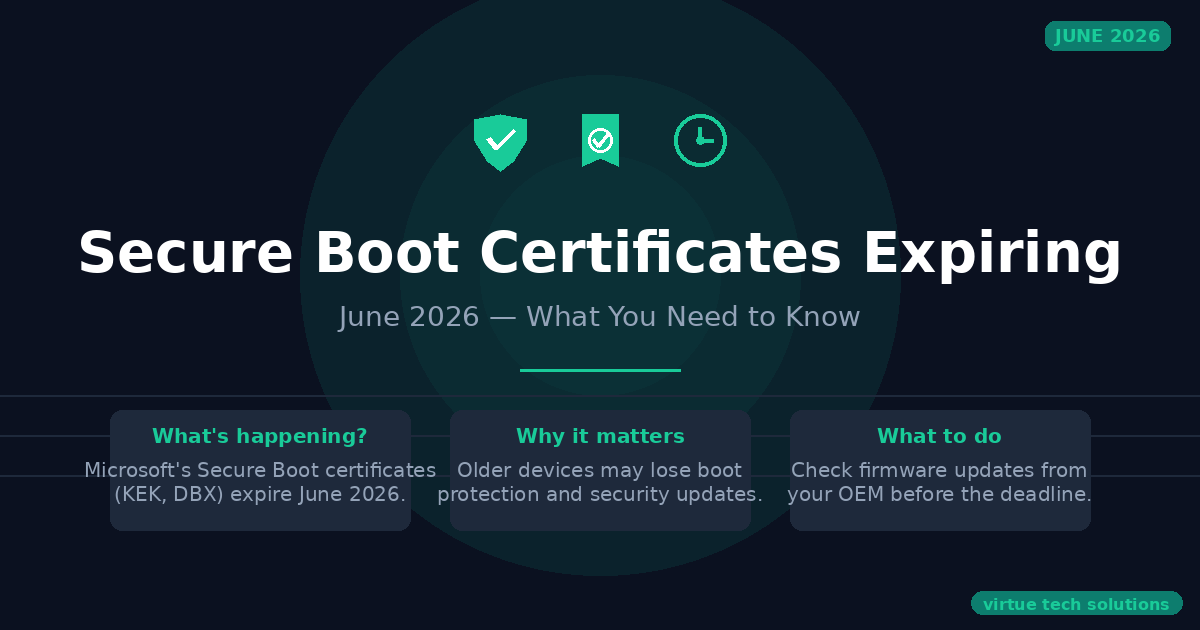
Those original certificates are now 15 years old and beginning to expire in June 2026.
Microsoft has issued replacement certificates (the 2023 CAs) that need to be installed on Windows devices to maintain full protection. The good news is that many devices will receive these updates automatically through Windows Update. But not all devices will — and that's where the risk lies.
How This Could Affect Your Business
If your devices receive the updated certificates, there's nothing to worry about. Your systems will continue to start normally, and you'll keep receiving all security updates.
If your devices do NOT receive the update, here's what happens:
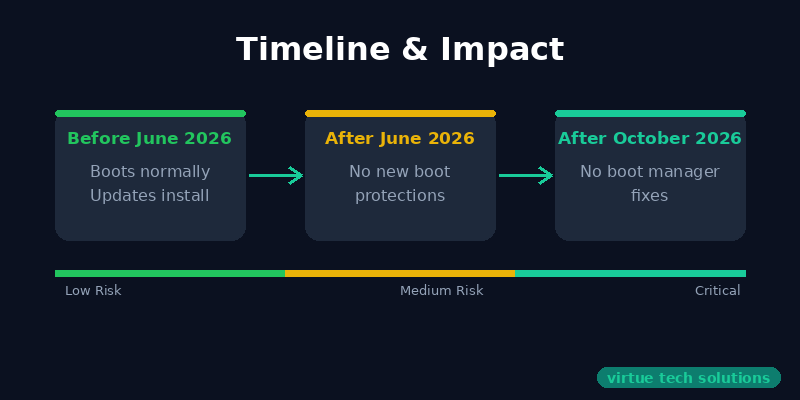
| Issue | Timeline | |-------|----------| | C System boots normally | No immediate impact | | C Standard Windows updates install | Still works | | X No new Secure Boot security protections | After June 2026 | | X No updates to Secure Boot databases, revocation lists, or boot-level vulnerability mitigations | After June 2026 | | X No Windows Boot Manager security fixes | After October 2026 |
Over time, this creates a widening security gap. As new boot-level threats are discovered — bootkits, firmware attacks, and other pre-boot malware — devices without updated certificates won't receive the protections designed to stop them.
This can also affect:
- BitLocker — BitLocker's security chain depends on Secure Boot to verify the integrity of the boot environment before unlocking the drive
- Third-party bootloaders — Linux dual-boot setups and other non-Microsoft boot software may fail to trust new certificates
- Compliance — Security frameworks and insurance requirements increasingly expect devices to have current Secure Boot configurations
What You Can Do
1. Check Your Devices
You can check whether a Windows device has the updated certificates by looking in:
Settings C Windows Security C Device Security C Security Processor Details C Secure Boot Certificate Update Status
Or via PowerShell:
Get-SecureBootUEFI -Name SetupMode
2. Apply Updates
Most devices will automatically receive the new certificates through regular Windows Update. If a device hasn't received them:
- Run Windows Update — ensure all updates are applied
- Check for OEM firmware updates — some devices require a firmware update from the manufacturer to accept the new certificates
- For IT-managed environments — use Group Policy, Microsoft Intune, or WSUS to push the certificate updates at scale. Our [managed IT services](/services/it-managed-services) can handle this across your entire fleet.
3. Use Microsoft's Management Tools
For organizations managing multiple devices, Microsoft provides several deployment options:
- Group Policy — Configure Secure Boot certificate settings across your domain
- Microsoft Intune — Deploy and monitor certificate update status across your fleet
- Windows Update for Business — Control rollout timing while ensuring updates reach devices
4. Monitor with Intune Remediations
Microsoft Intune includes built-in remediation scripts that can detect devices missing the 2023 certificates and trigger automatic installation.
Official Microsoft Resources
For the most detailed and up-to-date technical guidance, refer directly to Microsoft's documentation:
- [Windows Secure Boot certificate expiration and CA updates](https://support.microsoft.com/en-us/topic/windows-secure-boot-certificate-expiration-and-ca-updates-7ff40d33-95dc-4c3c-8725-a9b95457578e) — Microsoft Support article covering the full scope of changes
- [Secure Boot playbook for certificates expiring in 2026](https://techcommunity.microsoft.com/blog/windows-itpro-blog/secure-boot-playbook-for-certificates-expiring-in-2026/4469235) — Microsoft IT Pro Blog with deployment guidance
- [Act now: Secure Boot certificates expire in June 2026](https://techcommunity.microsoft.com/blog/windows-itpro-blog/act-now-secure-boot-certificates-expire-in-june-2026/4426856) — Original announcement post
How Virtue Technology Solutions Can Help
If you're managing a fleet of Windows devices, this isn't something to put off until May 2026. The deployment process for some environments can take time, especially if firmware updates are needed.
We can help you:
- Audit your devices to identify which systems have and haven't received the 2023 certificates
- Plan and execute the update using Intune, Group Policy, or manual methods based on your environment
- Coordinate with OEMs for any required firmware updates
- Validate the rollout to ensure every device is protected before the June 2026 deadline
Don't wait until your devices stop receiving boot security updates. Contact Virtue Technology Solutions today for a no-obligation discussion about your Secure Boot readiness.