

If you manage IT for a small or mid-sized business, you're probably wearing multiple hats — helpdesk, security, procurement, vendor management, and strategic planning all rolled into one. ITIL (the IT Infrastructure Library) can feel like it's built for massive enterprises with dedicated process owners. But the principles behind ITIL are just as valuable at a smaller scale.
Here's the thing: ITIL at its core is just a set of well-documented best practices that make IT services more reliable, measurable, and aligned with business goals. You don't need a formal certification program or a dedicated change manager to benefit from it.
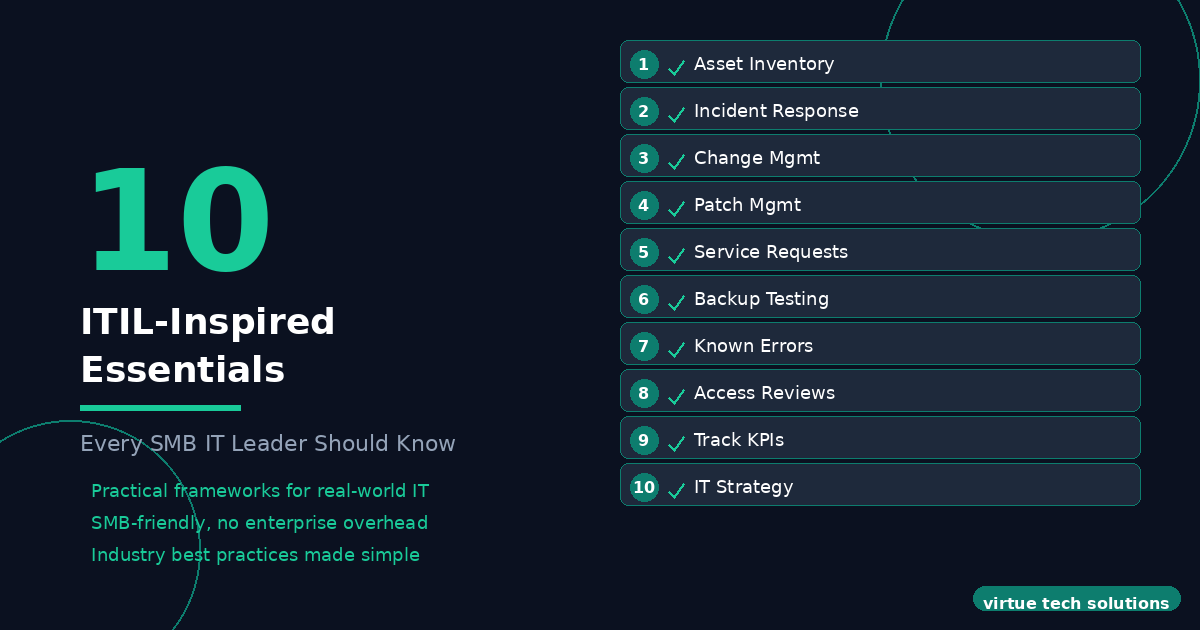
Below are 10 essential IT management practices inspired by ITIL — tailored for the SMB environment. These are the minimum bar that every IT manager or IT director should have in place.
---
1. Maintain an Accurate Asset Inventory
You cannot manage what you do not know exists. Every device, software license, cloud subscription, and network appliance should be documented in a central inventory — ideally with an RMM or asset management tool.
- Track hardware: make, model, serial number, warranty status, location, assigned user
- Track software: license count, expiration, version, installation status
- Track cloud services: subscriptions, admin accounts, billing contacts
- Review and update the inventory quarterly
ITIL calls this Service Asset and Configuration Management — but at its simplest, it's "know what you have."
2. Define a Standard Incident Response Process
When something breaks, the response should not be improvised. Even a simple written process — who gets notified, how issues are triaged, expected response times — dramatically reduces downtime and confusion.
Your process should cover: - How users report issues (ticketing system, email, phone) - Severity levels and target response/resolution times - Escalation path for unresolved issues - Communication expectations (status updates, resolution notes)
ITIL's Incident Management practice — the goal is to restore normal service as quickly as possible.
3. Implement a Change Management Process
The most common cause of IT outages is change. Whether it's a firmware update, a firewall rule change, or a new software rollout, every change should go through a lightweight review process.
For SMBs, this doesn't need to be bureaucratic: - Standard changes — pre-approved (e.g., routine patching) - Normal changes — require a brief review and scheduling - Emergency changes — fast-tracked but still documented after the fact
At minimum: document what changed, when, why, and who approved it.
4. Establish a Patch Management Cadence
Unpatched vulnerabilities are the number one attack vector for SMBs. A disciplined patching schedule is non-negotiable.
- Critical security patches: apply within 7 days (or sooner based on CVSS score)
- Important patches: apply within 30 days
- Feature updates: test before broad deployment
- Firmware and driver updates: include in quarterly maintenance windows
Use an RMM tool to automate patch deployment and reporting wherever possible. Our managed IT services include automated patch management as a core component.
5. Manage Service Requests with a Ticketing System
Every request — password reset, new user setup, software access — should go through a ticketing system. This isn't about bureaucracy; it's about: - Keeping track of what's been requested and what's been done - Measuring workload and identifying bottlenecks - Ensuring nothing falls through the cracks
Even a free or low-cost PSA tool is better than email-based requests.
ITIL's Service Request Management — handle routine, low-risk requests efficiently.
6. Perform Regular Backup Testing
Having backups is not enough. Restorable backups are what matter. Many organizations discover their backups are corrupted, incomplete, or misconfigured only when they need them most.
- Test full restores at least quarterly
- Verify backup integrity daily (automated checks)
- Document recovery time objectives (RTO) and recovery point objectives (RPO)
- Keep offsite or cloud-based copies for disaster recovery
ITIL's Service Continuity Management — ensure critical services can survive a disruption.
7. Document Your Known Errors and Workarounds
When your team solves a recurring issue — whether it's a printer that needs a specific driver, or an application that crashes under certain conditions — document the fix. This turns tribal knowledge into institutional knowledge.
Maintain a simple knowledge base or wiki with: - Common issues and their resolutions - Known software bugs and workarounds - Onboarding checklists for new devices or users - Network diagrams and system architecture notes
ITIL's Problem Management — identify and document root causes to reduce recurring incidents.
8. Conduct Regular Access Reviews
User accounts accumulate. Former employees, contractors, and forgotten service accounts are a significant security risk. Schedule quarterly access reviews where you:
- Disable or remove accounts for terminated employees
- Verify that no one has excessive permissions
- Review privileged access (domain admin, service admin)
- Remove orphaned service accounts or rotate their credentials
ITIL's Access Management — ensure the right people have the right access.
9. Track Key Metrics — Even Just a Few
You don't need a full ITIL metrics dashboard, but tracking a handful of KPIs gives you visibility into how IT is performing: - Mean time to resolution (MTTR) for incidents - Number of open vs. resolved tickets per week - Patch compliance percentage - Backup success rate - Uptime for critical systems
Review these monthly. Trends matter more than individual data points.
ITIL's Continual Improvement — measure, analyze, improve.
10. Have a Written IT Strategy — Even a One-Pager
Too many SMBs operate IT reactively — whatever breaks today gets fixed today. A lightweight IT strategy document, reviewed annually, provides direction and helps you justify budget and resources.
Your strategy should answer: - What are the top 3 IT priorities for the next 12 months? - What major projects or upgrades are planned? - What are the biggest risks, and how will they be addressed? - What is the IT budget and how is it allocated?
ITIL's Service Strategy — align IT with business goals.
---
Putting It Into Practice
You don't need to implement all 10 at once. Pick 2-3 that address your biggest pain points right now, get them established, and build from there. The goal isn't perfect ITIL compliance — it's running IT in a way that is predictable, measurable, and actually serves the business.
Whether you need ongoing managed IT support or targeted IT professional services for a specific project, we can help build or improve your IT management processes.
Need help building or improving your IT management processes? Contact Virtue Technology Solutions to create a practical roadmap for your business.